Love-Nicole
Care Support App
Helping your loved one to retain some independence, keep connected, and to remain safe
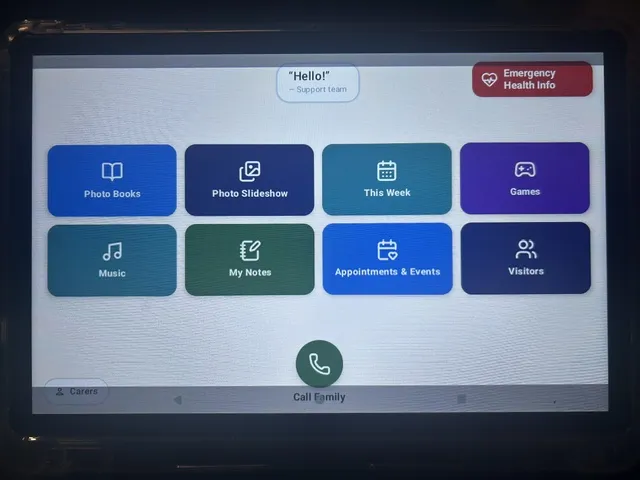
Simple to Use App
The User's screen on the App is very simple to use and understand.
There is a carer's page accessible by a pin so carer's & family can enter daily health information to share.
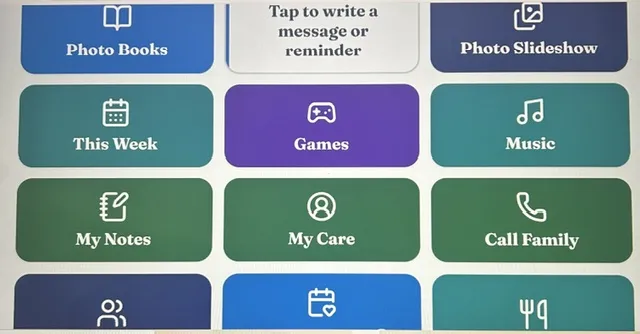
Easy Admin Portal
The Admin Portal is very easy to understand, and to upload photos, appointments and messages to show on the User's screen. You can also send upload links to other family and friends.
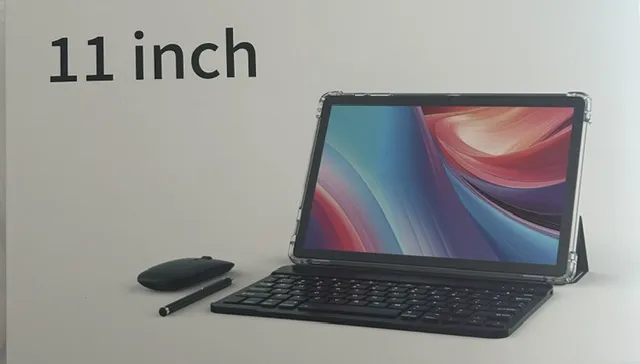
11" Android Tablet with Cover
A perfectly matched 11" Tablet with a cover can be supplied in locked mode to use with the App.
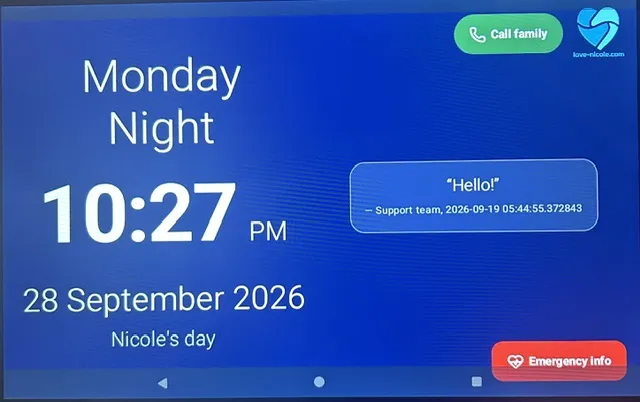
Calendar and Time
The front screen of the App shows a calendar with day date and time. There is also a Family Call button, An Emergency Health Information button and Messages and/or received from family.
Our Expertise
With decades of experience caring for elderly, dementia and disability clients, I saw a need, and as such I have developed an App to make life easier for carers, families and especially for the App users. Everybody could benefit from using this Simple to Operate App.
A Calendar
Call Family button
Emergency Information button
The next 7 days Page View of
Appointments, Events & Visitors,
Photo Books and Slideshow
Family can send messages,
photos, and appointments directly
to the App /Tablet
An urgent message can also be sent directly to the App and it will stay there clearly until it is removed.
Music & Games for Entertainment
Vital Health Information
Uploaded for Emergencies
Daily Food & Drinks
Daily Exercise & Activity
Daily Health Data
Care notes
Medication support alarm
This App can be installed on multiple devices, eg Family admin, bedroom and lounge room

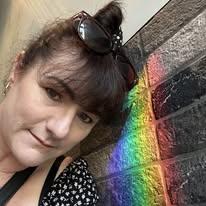
Hi, I am Nicole. It is my desire to spread the love with my App that is designed to make life easier, and to reduce stress. I have decades of experience with dementia, and 9 years of working with elderly and disability support. I loved respite with dementia clients, but I felt their frustrations and sadness, as well as that of their families. This App is developed from my experiences working in the industry, and fine tuned by a master in App building.
We attended our first Expo in Perth at the end of July and discussed the App with Aged Care Providers. They were very impressed with the concept and format, and they are looking forward to the launch. I had an opportunity to share the App with a lovely gentleman who sat to rest beside me. He was interested in what I was up to. He suffered with vascular dementia and had no clue how to use technology. I asked him if he would like to play a game that I had. He had so much fun playing the games on the App. His eyes welled up and he said 'This is just what I am looking for to keep my brain working!' He was so filled with joy and relief. His wife returned and we were all tearing up with his joy. That is what this is all about! I told him I would put free access to that game on my Website for him and name it after him. Check out "Lindsay's Matching Game"
Resolve your Carer stress
Our Simple to Operate App Helps Your Loved Ones Enjoy Some Independence, and You Enjoy Some Peace

CARER STRESS
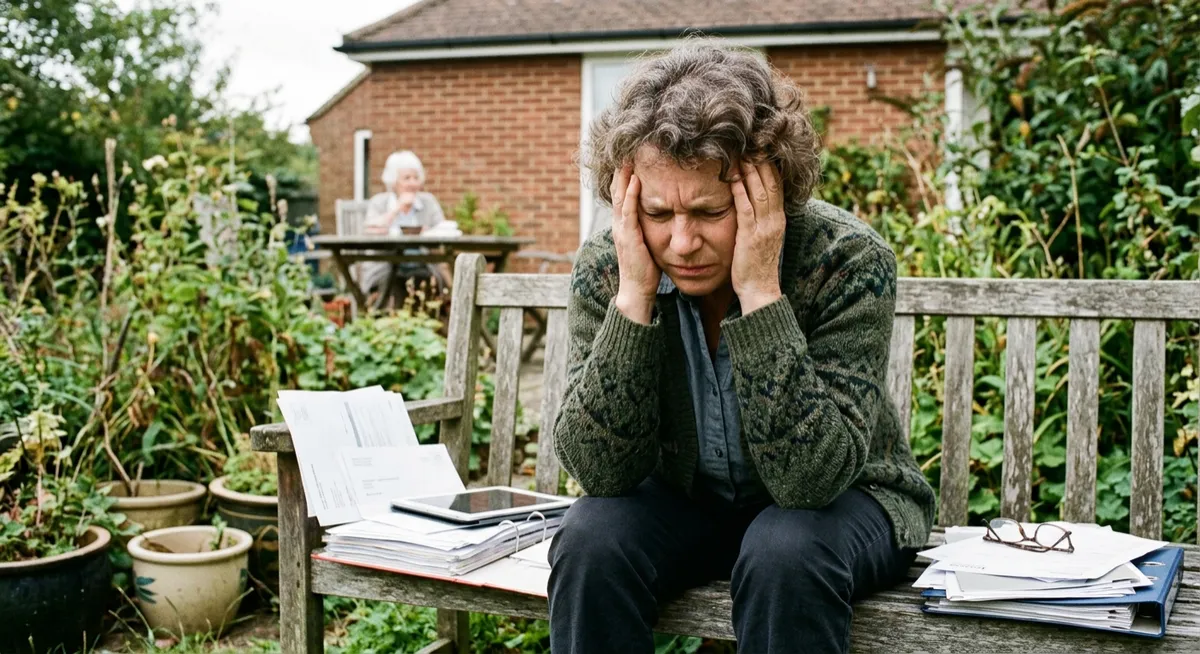
Your children have left home, you have been working hard for years, you are overdue for a holiday, and now it seems you are becoming secretary, administration and taxi for a parent or two! This wasn't meant to be the case. Wasn't this your time to have some YOU time? Enjoy some life experiences? We have developed an App that can help them be more organised, entertained, and to keep them connected and safe.
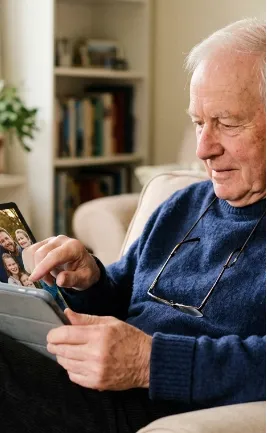
EASY TO USE - MORE INDEPENDENCE
The App is very simple to understand and use. It is great to keep an eye on your daily health, and for family members and carers to communicate about your care. It securely stores vital, life saving, health information that is ready to show Ambulance Officers or New Doctors.
You can keep track of your week ahead.
You can play games or listen to your music, plus stay connected with family messages and calling. There are photo books and a photo slideshow for reminiscence. You can even have more photos sent directly from family to the App to keep in the family loop.

Emergency health information
Where is all of your health information.
If you had an Emergency would people be able to access your medication list, diagnoses, DNR, religious choices, allergies, emergency contacts, etc easily?
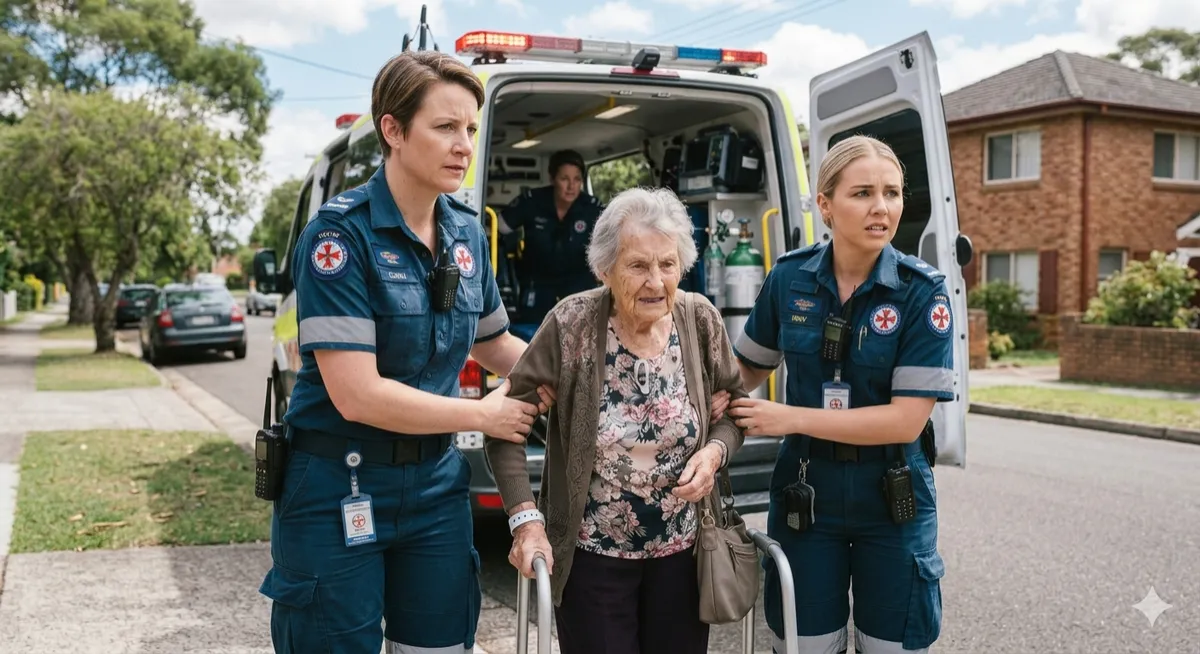
We solve that problem. It is all securely saved to your App where Emergency Services, or your family or carer can email it directly to the hospital. Better still take the App with you. It is all there with monthly reminders to make sure it is updated. This could save your life!
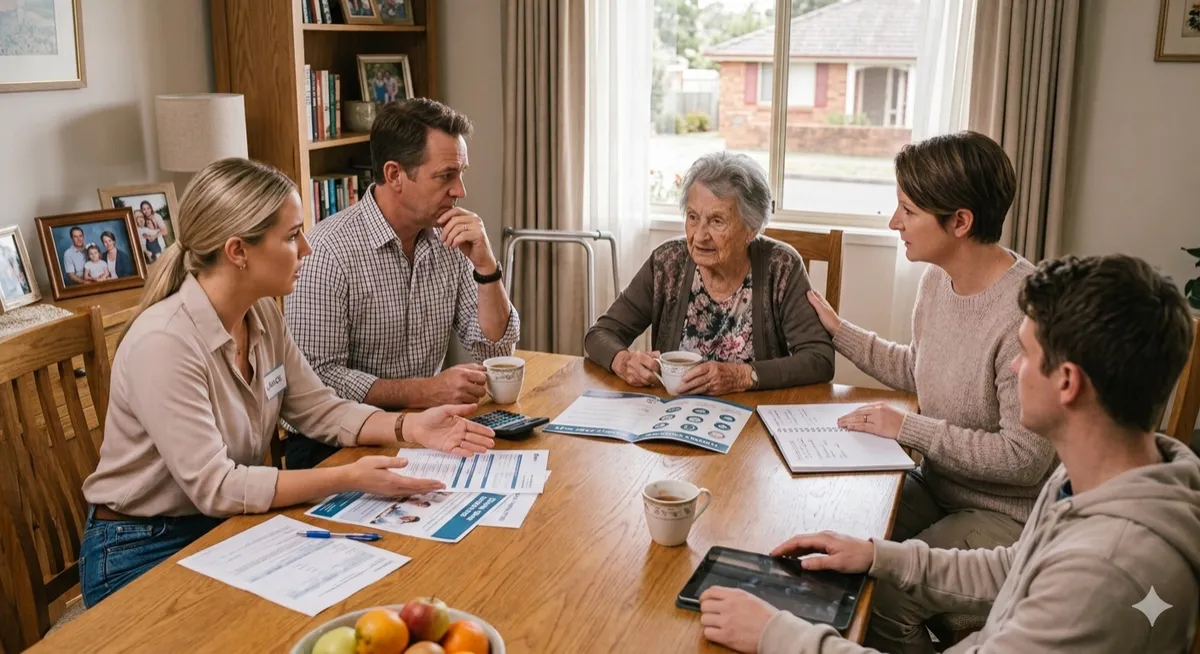
staying in your own home
Many of our elderly wish to stay in their own homes. The government is encouraging people to stay in their own homes longer and are promoting assistive technology as a means to make that easier. Care homes are expensive and many elderly are stuck in hospitals waiting for placements.
Check your Aged Care 'Support at Home' Package or your 'NDIS package' if applicable to see if this App and Tablet can be funded for you as
'Assistive Technology'
Also available for private purchase - can be changed over at a later date if eligible.
Be One of the First to Use and Review our App


Frequently Asked Questions
As the Supporting Family Member Do I Have to Actively Do Anything?
Depending on how the User wishes to use the App, the Admin uploads initial photos, health information, medication reminders, and music. They can also send invitations to other family members to send photos. Family Portal duty can be handed to any trusted person, even a carer. There is an ability, as admin, to send messages to the screen to remind the User of something important, which could be a real benefit if they suffer from dementia and call constantly for the same reason. Family Portal can be accessed from any computer or smart device.
Lorem ipsum dolor sit amet, consectetur adipisicing elit. Autem dolore, alias, numquam enim ab voluptate id quam harum ducimus cupiditate similique quisquam et deserunt, recusandae.
Can We get it On An Aged Care or NDIS plan?
The full feature App is Assistive Digital Technology. If you are qualified by your OT, Dr or plan coordinator you can fund this App with your Aged Care Support at Home Funding, or NDIS plan in Australia. Other countries are also funding assistive technology with Govt funding. Please contact us if you require documentation to support your case.
Lorem ipsum dolor sit amet, consectetur adipisicing elit. Autem dolore, alias, numquam enim ab voluptate id quam harum ducimus cupiditate similique quisquam et deserunt, recusandae.
Do I need to Get a Sim Card for It, or Pay Phone or Internet Bills?
The App and phone function all work on Wifi. You do not need to pay any separate phone or internet bills if you have access to Wifi. If you do not have access to Wifi then you will need to have the App put on to a tablet with a Sim Card for Data. This can be from any provider that supplies internet to the location. You can data share from a mobile plan.
Why are there ongoing Subscription Charges?
There are charges for storing data securely and for maintenance of the App. There are also charges for use of the phone technology. It is important to have the App running safely and securely with vital private health data. There will be security and technological upgrades in the future, as required, and as more features become available and desired.
Lorem ipsum dolor sit amet, consectetur adipisicing elit. Autem dolore, alias, numquam enim ab voluptate id quam harum ducimus cupiditate similique quisquam et deserunt, recusandae.
Can Other People Send Photos to the Device?
Admin has the option to send multiple invitations to family and friends, so that they can upload photographs and send them directly to the App on the Users tablet.
Lorem ipsum dolor sit amet, consectetur adipisicing elit. Autem dolore, alias, numquam enim ab voluptate id quam harum ducimus cupiditate similique quisquam et deserunt, recusandae.
Can we upload our Own Music to The App?
Yes you can upload your own music to the App and we really encourage it. They need to be uploaded as MP3s but I will find a way to explain it clearly so it can be done.
Can We Purchase It With a Tablet Complete?
Yes. We can sell you an 11" tablet with a cover that has sufficient RAM and ROM and Wifi to operate the App in kiosk mode, so that it is not possible to 'close the page' or lose the App. If the App is paid for in a Government package it HAS to be locked down to only be able to access that App.
Lorem ipsum dolor sit amet, consectetur adipisicing elit. Autem dolore, alias, numquam enim ab voluptate id quam harum ducimus cupiditate similique quisquam et deserunt, recusandae.
Can We Purchase The App and Use It on Any Device?
At the moment you can use the App on Android tablets or phones. The Family Portal to manage the App can be used on any computer, Android or Apple product. The App is best displayed on a tablet for use by the elderly. This make it is easier to press the buttons, play the games and to see, particularly from a distance.
Lorem ipsum dolor sit amet, consectetur adipisicing elit. Autem dolore, alias, numquam enim ab voluptate id quam harum ducimus cupiditate similique quisquam et deserunt, recusandae.
How Many Devices Can we Have The App On?
Generally you would just have one device, but you can sync the same App with the same information, for the same person, on up to 3 devices if you wish. Eg kitchen, bedroom, lounge. Family members will have their own individual logins to the Family Portal website, which they can access from any computer, smart phone or tablet, to upload or update any information. They can also forward the stored emergency health information by email, directly from the Family Portal, and access recent care history that has been input in to the App by carers or family.
How Does The Phone Family Function Work?
The phone feature is similar to when an Uber driver calls you from a national number and the two calls are bridged together. It does not use Sim cards, and the costs of calls are not passed on to the User, they are covered by the existing Subscription fees.
Lorem ipsum dolor sit amet, consectetur adipisicing elit. Autem dolore, alias, numquam enim ab voluptate id quam harum ducimus cupiditate similique quisquam et deserunt, recusandae.
We Self Manage our Aged Care / NDIS Package. How can it Help Us?
This is a wonderful App for self-managed Users. There is a section where carers sign in and can put notes about the day and what they did. There is space to note down food, drinks, bowel movements, exercise, activities, also basic daily health information if required like BP, BSL, Temp etc so you can see an overview of care and have a record to review, or show Doctors if health declines for some reason.
Besides the medication reminders and joy of photos, games and music! Also the Government will likely fund the App and Tablet as Assistive Technology so it should be paid for in your plan. Just contact your plan manager or OT.
Lorem ipsum dolor sit amet, consectetur adipisicing elit. Autem dolore, alias, numquam enim ab voluptate id quam harum ducimus cupiditate similique quisquam et deserunt, recusandae.
How do Appointments, Events, Photos and Urgent Messages Get Uploaded Remotely?
An admin for the account has access to a website portal that they can open on any device that they can open a web browser on. The admin may be family members, a guardian or care support workers, depending on the User's situation. There can be more than one admin on each account without further charges. The admin enters the information into their portal and it sends the information straight away and it shows up straight away in the User's App.
The admin can also send links to family and friends so they can email photos directly to the User's App as well. Lovely if somebody is travelling, or there is a special occassion.
Title or Question
Describe the item or answer the question so that site visitors who are interested get more information. You can emphasize this text with bullets, italics or bold, and add links.
Title or Question
Describe the item or answer the question so that site visitors who are interested get more information. You can emphasize this text with bullets, italics or bold, and add links.
Title or Question
Describe the item or answer the question so that site visitors who are interested get more information. You can emphasize this text with bullets, italics or bold, and add links.
What Happens to our Data if We Don't Pay the Subscription, or We Cancel the Plan?
If you do not pay the Subscription we will hold your data and contact you to see if you wish to continue with the App. If you wish to continue we will store your data until you pay for the Subscription to continue. If you wish to Cancel the plan all of your data will be deleted upon your instruction at account closure.
Lorem ipsum dolor sit amet, consectetur adipisicing elit. Autem dolore, alias, numquam enim ab voluptate id quam harum ducimus cupiditate similique quisquam et deserunt, recusandae.
How Many Photos Can We Upload To the App?
Full feature App 10 Photo Books
30 photos in each. 300 photos.
Lorem ipsum dolor sit amet, consectetur adipisicing elit. Autem dolore, alias, numquam enim ab voluptate id quam harum ducimus cupiditate similique quisquam et deserunt, recusandae.
Can Other People Send Photos to the Device?
Admin has the ability in their portal to send multiple invitations to family and friends so they can upload photographs and send them directly to the App on the Users tablet.
What Kinds of Games Are There on the App?
The App has a number of games including a jigsaw which is made from your own photos, Tic Tac Toe, Word Find, Word Hunt, Word Pool, and the new exclusive Tap the Frog. There is a Colouring 'game' plus a match the cards game.
Lorem ipsum dolor sit amet, consectetur adipisicing elit. Autem dolore, alias, numquam enim ab voluptate id quam harum ducimus cupiditate similique quisquam et deserunt, recusandae.
How Many Photos Can We Upload To the App?
Full feature App 10 Photo Books
30 photos in each - 300 photos.
Lorem ipsum dolor sit amet, consectetur adipisicing elit. Autem dolore, alias, numquam enim ab voluptate id quam harum ducimus cupiditate similique quisquam et deserunt, recusandae.
Can Other People Send Photos to the Device?
The Family Portal has the option to send multiple invitations to family and friends. With the invitation they can upload photographs and send them directly to the App on the User's tablet.